How to Eliminate WiFi Dead Zones in Retail (2026 Guide)
A slow or dropped connection at the register is not a minor annoyance. It stops sales, stalls returns, and frustrates the customer standing in front of you.
Table of Contents
- Why WiFi Dead Zones Hurt Retail Operations and Sales
- Step 1: Conduct a Commercial WiFi Site Survey and Floor Plan Audit
- Step 2: Identify WiFi Interference in Commercial Buildings
- Step 3: Choose the Best Wireless Access Points for Retail
- Step 4: Plan Capacity for Customers, Staff, and Connected Devices
- Step 5: Install, Configure, and Validate Coverage Across Every Zone
- Common Mistakes That Leave Dead Spots in Place
- Frequently Asked Questions
Last Updated: October 8, 2026
Why WiFi Dead Zones Hurt Retail Operations and Sales
WiFi dead zones are areas where wireless signal strength drops too low for devices to connect reliably. They show up as failed card payments, frozen scanners, and gaps in camera coverage.
This guide from Dalcorp Solutions Inc breaks down a five-step process. We have spent 25+ years installing low-voltage and network systems across the Chicagoland area.
The Real Cost of Weak Signal at the Point of Sale
Every failed transaction is lost revenue and a lost customer.
A common mistake is treating WiFi as a background utility. In retail, it is core infrastructure. When the network drops, so does your ability to sell.
The problems stack up fast:
- Card readers time out mid-payment
- Mobile scanners lose sync with inventory
- Staff waste time rebooting equipment
- Security cameras miss footage in weak-signal corners
The fix is not one device. It is a plan.
Step 1: Conduct a Commercial WiFi Site Survey and Floor Plan Audit
A commercial WiFi site survey is a physical inspection that maps signal strength, interference, and coverage gaps across your entire space. It replaces guesswork with real data.
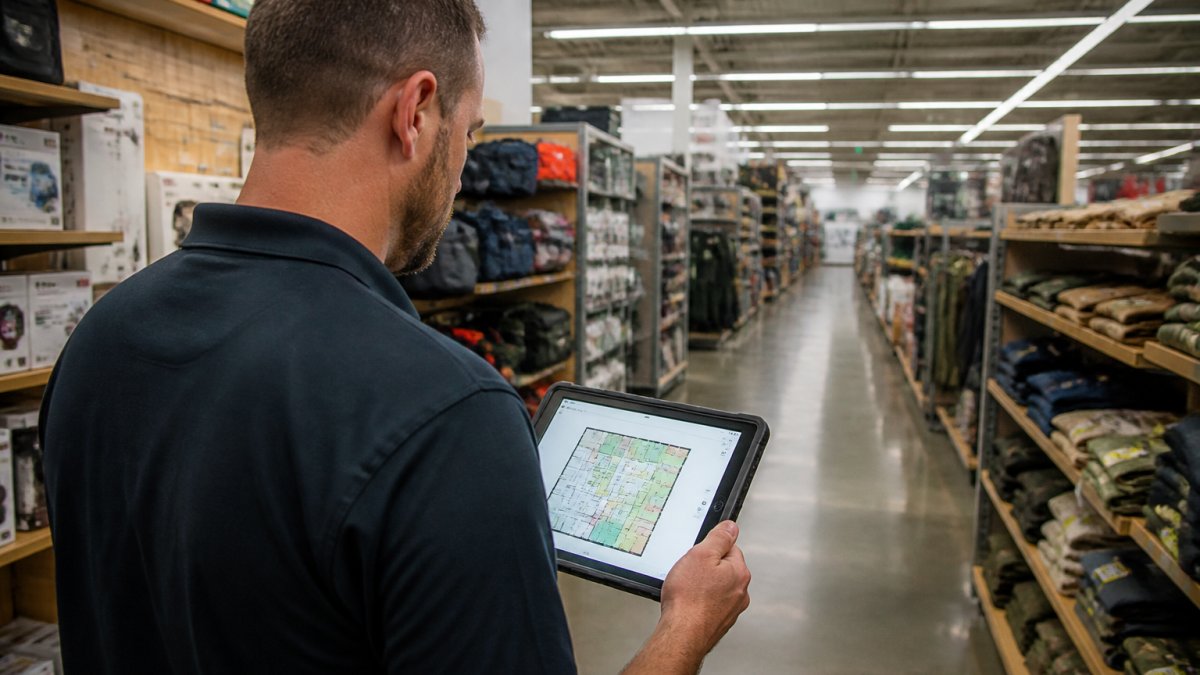
Start with your floor plan, then divide it into zones before you take a single reading:
- Checkout lanes and service desk, highest business risk; a dropped packet here is a dropped sale
- Sales floor aisles, high device density, moving shoppers, metal shelving that reflects and absorbs signal
- Stockroom and receiving dock, handheld scanners, roll-up doors, dense racking, and concrete walls
- Fitting rooms and back hallways, often the worst coverage and the most complaints from staff
Mark every wall, shelf, cooler, and fixture on the plan. Building materials matter.
What a Retail Site Survey Measures Beyond Signal Strength
Signal strength is only the beginning. A proper survey also tracks:
- Device density per zone: how many phones, scanners, and registers connect at once in each area, not just storewide
- Interference sources: neighboring networks, microwaves, security systems, and your own Bluetooth scanners
- Throughput and latency: real speed under load, not just bars on a screen
- Roaming behavior: whether devices hand off cleanly between access points as staff and shoppers move
Retail spaces add a wrinkle that homes never see: crowds. Bodies absorb signal, and a store that tests perfectly on a quiet Tuesday can fail on a busy Saturday. That is why the survey should be run during or modeled against peak traffic, and why the deliverable is not a single signal-strength number but a zone-by-zone plan.
The Deliverables You Should Expect
A retail-grade survey produces more than a heat map. Ask for:
- An annotated floor plan showing proposed access point locations, mounting heights, and cable paths
- A per-zone coverage and capacity target list (see Step 5 for how to validate against it)
- A channel plan that accounts for neighboring tenants
- A bill of materials with backhaul, mounting, and power requirements
- A phased rollout plan if the store must stay open during installation
If a surveyor hands you a heat map and nothing else, you have a coverage picture, not a plan. The plan is what lets you install once and stop chasing dead spots.
Step 2: Identify WiFi Interference in Commercial Buildings
WiFi interference in commercial buildings comes from two places: your own equipment and everyone around you. Both slow the network and create dead spots.
In a strip mall or dense retail district, dozens of networks compete for the same channels. Add in Bluetooth scanners, wireless cameras, and microwave ovens, and the air gets crowded.
Common interference sources include:
- Neighboring store networks on overlapping channels
- Cordless phones and headsets
- Security cameras and alarm systems
- Metal shelving that reflects signal back on itself
Channel Planning for Busy Retail Environments
Channel planning is how you reduce collisions between networks. The 2.4 GHz band has only three clean channels. The 5 GHz and 6 GHz bands offer far more room.
A practical approach:
- Scan all nearby networks and note their channels
- Assign your access points to non-overlapping channels
- Push modern devices to 5 GHz or 6 GHz
- Recheck channels after any nearby tenant changes equipment
Step 3: Choose the Best Wireless Access Points for Retail
The best wireless access points for retail are commercial-grade units designed for high device density, not consumer routers. They handle many connections at once and support clean roaming.
Retail is not a home. A single router in the back office will never cover a sales floor, stockroom, and checkout lane. You need the right hardware for the job.
Extenders vs. Mesh vs. Commercial Access Points
Each option solves a different problem. Here is how they compare:
| Option | Best For | Weakness |
|---|---|---|
| Range extender | One small dead spot | Halves speed, adds latency |
| Mesh system | Small shops, few devices | Struggles under heavy load |
| Commercial access point | Full retail floors | Needs wired backhaul and setup |
Range extenders repeat a weak signal, so they cut throughput roughly in half. Mesh systems roam well but choke when dozens of devices connect. Commercial access points, wired back to the network, deliver the most stable coverage and speed.
For most retail floors, commercial access points are the right call. They cost more upfront and need proper installation, but they hold up under real traffic.
Step 4: Plan Capacity for Customers, Staff, and Connected Devices
Capacity planning means sizing the network for your busiest hour, not your quietest. Count every device that connects, then add room to grow.
Retail networks carry three traffic types at once:
- Customer WiFi: phones and tablets on a guest network
- Staff devices: scanners, handhelds, and tablets
- Critical systems: POS terminals, cameras, and access control
A common mistake is underestimating device counts. A single shopper may carry two or three connected devices. A busy Saturday can triple your normal load.
Plan for peak, not average:
- Count POS terminals, cameras, and scanners first
- Add expected customer devices at peak
- Add 30% headroom for growth
- Separate guest and business traffic onto different networks
Step 5: Install, Configure, and Validate Coverage Across Every Zone
Installation is where good plans succeed or fail. Mount access points high, keep them clear of metal, and wire them back to the network wherever possible. Then validate against the zone plan from Step 1, not against a vague sense that the network "feels faster."
Set Acceptance Criteria Before You Test
A retail network is only done when it meets measurable targets in every zone. Before installation, agree on numbers like these with your integrator (adjust to your store, but write them down):
- Signal strength: strong enough in every customer and staff zone to support the devices you run there
- Throughput: enough sustained speed at the checkout lane to complete a card transaction without timeout, even at peak
- Latency: low and stable enough that scanners and POS terminals do not stall mid-transaction
- Roaming: clean handoff between access points as a device moves from aisle to aisle, with no dropped session
- Capacity: each access point sized so its busiest-hour client count stays within its practical limit
These targets are the difference between "we think it works" and "we can prove it works." They also give you a baseline to re-test against after a remodel or a new tenant moves in next door.
Validate Zone by Zone, During Business Hours
Walk the floor with a survey tool and check every zone from Step 1:
- Checkout lanes and service desk, test a live transaction, not just a ping
- Stockroom and receiving dock, test handheld scanners where staff actually use them
- Fitting rooms and back hallways, the zones most often skipped and most often complained about
- Every aisle, end to end, at both ends and in the middle
- Exterior and curbside if you support pickup or outdoor devices
Validate during business hours, not after close. Crowds change the picture. Test roaming by walking between zones while a call or scan stays active, and test capacity by running the busiest realistic device load you can stage.
Wi-Fi Alliance guidance on wireless networking standards explains how roaming and band steering work across access points.
Document, Monitor, and Re-Test
Validation is not a one-time event. Record the results per zone, then set a re-test cadence:
- After any remodel, fixture change, or new tenant move-in
- After adding devices, cameras, scanners, digital signage, or guest capacity
- Seasonally, before your peak trading period
For multi-floor or multi-site retail, repeat the process floor by floor and site by site. A single survey is not enough when signal has to climb stairs and pass through concrete, and a single store's results do not transfer to a store with a different layout.
This is where a licensed, factory-certified team saves time. Dalcorp Solutions Inc designs, installs, and supports integrated WiFi, access control, and camera systems, so coverage and security are planned together from the first site survey, and validated against targets you can hold us to.
Common Mistakes That Leave Dead Spots in Place
Most dead spots survive because of a few repeatable errors. Fix these and coverage improves fast.
- Mounting access points in closets or behind shelving. Metal and walls block signal.
- Using consumer gear for a commercial space. Home routers cannot handle retail device counts.
- Skipping the site survey. Guessing placement wastes hardware and money.
- Ignoring interference. Crowded channels slow the whole network.
- Forgetting the stockroom. Scanners fail where staff need them most.
FCC consumer guide to wireless routers and interference notes that physical obstructions and nearby devices are common causes of weak signal.
The pattern is clear. Coverage problems are planning problems, not hardware problems.
Frequently Asked Questions
What causes WiFi dead zones in large retail stores?
Dead zones in retail typically come from a combination of factors: metal shelving and racking that block or reflect wireless signals, thick concrete or brick walls, interference from neighboring businesses and in-store devices, and router or access point placement that was never designed for the building's layout. High device density during peak hours also strains the network, making weak areas feel like complete dropouts. A professional site survey identifies which of these causes is actually responsible in your space.
How does a commercial WiFi site survey help retail businesses?
A commercial WiFi site survey maps signal strength, interference sources, and device density across your entire floor plan before any equipment is installed. It shows exactly where coverage gaps exist, which channels are congested, and how many access points you need for reliable performance. This prevents the common mistake of buying equipment first and hoping it works. The survey also provides a baseline you can use later to validate that the finished network meets your coverage and throughput targets.
Are mesh systems effective for commercial retail environments?
Mesh systems work well in smaller retail spaces with light device loads and few obstructions. In larger stores, multi-floor layouts, or high-traffic environments, mesh nodes often struggle because each hop reduces throughput and adds latency. Commercial access points wired back to a switch deliver more consistent performance, better roaming between zones, and the capacity to handle dozens of devices per area. For retail environments running POS terminals, inventory scanners, and guest WiFi at the same time, wired access points are the more reliable choice.
How can poor WiFi connectivity impact retail sales and POS systems?
When WiFi drops or slows down, point-of-sale terminals can fail to process payments, inventory systems fall out of sync, and mobile scanners stop working mid-transaction. Customers waiting to pay or trying to use a store app experience delays that push them to leave. Staff lose time troubleshooting instead of helping customers. Reliable wireless connectivity directly supports faster checkout, accurate inventory, and a smoother customer experience, which is why coverage validation and capacity planning matter as much as raw signal strength.
- Hits: 2