ApolloTech Alternative for Building Security: 2026 Guide
An ApolloTech alternative for building security is a modern access control and surveillance platform that replaces legacy, hardwired systems with cloud-managed, integrated infrastructure. At Dalcorp Solutions Inc, we hear the same frustration from facility and property managers across the region: the system works, until it doesn't, and nobody can get parts or support.
Table of Contents
- Why Building Owners Look for an ApolloTech Alternative
- Feature-by-Feature Comparison Criteria for Building Security
- Commercial Access Control Systems: What Actually Matters
- Access Control and Video Surveillance Integration Done Right
- Cloud-Based Access Control Systems vs On-Premises
- Access Control System Replacement Checklist
- How Dalcorp Solutions Approaches Building Security
- Conclusion: Choosing Your Building Security Partner
- Frequently Asked Questions
Last Updated: October 7, 2026
Why Building Owners Look for an ApolloTech Alternative
Most owners don't start shopping because they want new technology. They start because a door controller fails, the software won't run on a current operating system, or their insurer asks a question the old system can't answer. That's the real trigger.
Below, we'll break down what to compare, what actually matters in a commercial setting, and how to plan a replacement without shutting your building down.
Where Legacy Access Control Falls Short
Legacy panels were built for a world without cloud management, mobile credentials, or remote monitoring. They still open doors, but they fail on the things that matter now.
Common failure points:
- End-of-life software that no longer receives security patches
- Proprietary hardware with single-source parts and long lead times
- No remote visibility, so every issue needs a truck roll
- Separate systems for cameras, doors, and network, with no shared event log
- Weak audit trails that make incident response slow and manual
The Cybersecurity and Infrastructure Security Agency guidance on physical security is blunt about this: unpatched systems and default credentials are among the most common weaknesses in building technology. That's not a technology preference issue. It's a risk issue.
Feature-by-Feature Comparison Criteria for Building Security
A useful comparison starts with criteria, not vendor names. Score every candidate on the same list, and the decision usually makes itself. The gap in most published guides is that they never actually name what you are comparing against. An ApolloTech alternative for building security generally falls into one of four buckets, and each bucket behaves differently on the same scorecard.
- Cloud-managed access control platforms (for example, Openpath, Verkada, Brivo, Genea): strong remote management and mobile credentials, subscription-weighted cost.
- On-premises enterprise platforms (for example, LenelS2, Software House C•CURE 9000, Genetec Security Center): deep integration and policy control, higher upfront and admin overhead.
- Hybrid systems (cloud management with local controllers that keep doors working offline): a middle path many multi-site owners land on.
- Legacy panel replacements (retaining existing readers and wiring where possible): lowest disruption, but limited to what the old hardware supports.
Score every candidate on the same weighted list. A simple 1-5 scale per category, multiplied by a weight you assign, produces a defensible shortlist instead of a vendor-driven one.
| Criteria | What to Look For | Why It Matters | Typical Weight |
|---|---|---|---|
| Credential options | Mobile plus card/fob support | Avoids re-badging every tenant | High |
| Integration depth | Native video, alarm, and network tie-in | One event log, faster incident response | High |
| Management model | Cloud with local failover | Remote control without door downtime | High |
| Scalability | Multi-site from one dashboard | Portfolio-wide consistency | Medium |
| Reporting and retention | Audit logs, scheduled exports, configurable retention | Supports investigations and insurer questions | Medium |
| Support model | Named technician, defined SLA, escalation path | Predictable response at 2 AM | High |
| Openness | Documented API, ONVIF/OSDP support | Avoids a new lock-in | Medium |
| Total cost of ownership | Hardware, licensing, service, lifecycle | Reveals the real 5-year number | High |
Two criteria deserve more weight than most buyers give them. Openness, documented APIs and standards like OSDP for readers and ONVIF for cameras, determines whether you can swap one component later without replacing the whole stack. Support model determines what actually happens when something fails, which is the reason most owners started shopping in the first place.
A practical scoring shortcut: run the same three scenarios through every candidate, a lost credential at 11 PM, a propped door during a tenant move-in, and a multi-site audit request. Whichever system handles all three without a truck roll or a manual export is usually the right fit.
Commercial Access Control Systems: What Actually Matters
For commercial access control systems, reliability and auditability matter more than feature count. A system with forty features nobody uses is worse than one with ten that always work.
Three things separate a good commercial deployment from a bad one.
First, door hardware and readers take more abuse than any other part of the system. Cheap readers fail in high-traffic lobbies within a couple of years.
Second, the network layer carries every credential decision. If the switch or cabling is marginal, access control becomes unreliable no matter how good the software is.
Third, documentation determines how fast anyone can fix a problem later. A system without as-built drawings and credential records is a liability, not an asset.
Access Control and Video Surveillance Integration Done Right
Access control and video surveillance integration means door events and camera footage share one timeline, so a badge swipe and its corresponding video clip appear in the same record. Done correctly, it cuts investigation time from hours to minutes.
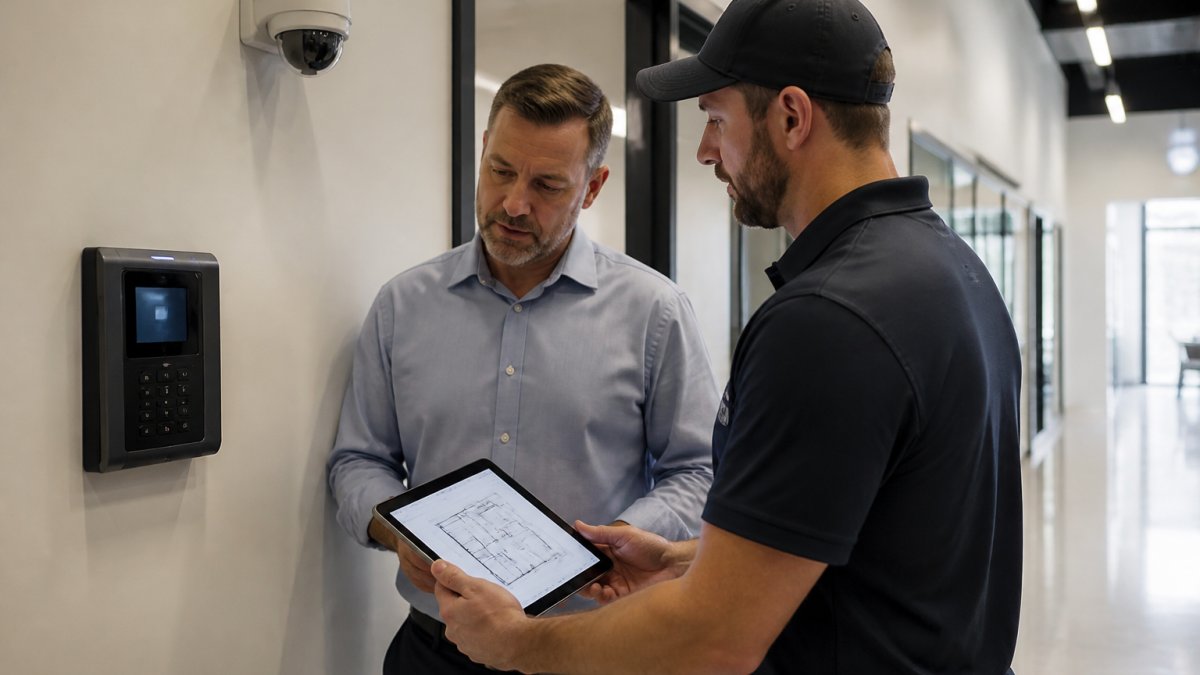
The practical test is simple. When an incident happens, can you pull up the door event and the matching video in one search, or do you export from two systems and match timestamps by hand?
Integration also improves tamper detection. If a camera goes offline or a door is propped, the system flags it rather than waiting for someone to notice.
Cloud-Based Access Control Systems vs On-Premises
Cloud-based access control systems manage credentials and permissions through a hosted platform, while on-premises systems keep that control on a local server inside the building. Each has a legitimate place.
Cloud wins on remote management, automatic updates, and multi-site oversight. On-premises wins where connectivity is unreliable or where policy requires data to stay on site.
A hybrid approach often fits best: cloud management with local failover so doors keep working if the internet drops.
National Institute of Standards and Technology Cybersecurity Framework is a useful reference when you're deciding how much of your security stack should depend on an outside connection.
Access Control System Replacement Checklist
Use this access control system replacement checklist before you sign anything. It keeps the project scoped, prevents mid-job surprises, and forces the cost conversation into the open, which is the part most published guides skip entirely.
Assessment and inventory
- Inventory every door, reader, and controller, with photos
- Document existing cabling type, condition, and routing
- Confirm network switch capacity and PoE budget
- List integrations required (video, alarm, HR, visitor management)
- Identify which existing readers and wiring can be reused
Cost and total cost of ownership
- Get hardware pricing broken out per door, not as a lump sum
- Get licensing terms in writing: per-door, per-user, or per-site, and whether it is perpetual or subscription
- Ask what happens to the price at renewal
- Confirm installation labor, cabling, and after-hours rates
- Ask for a 5-year total cost of ownership estimate, not just year-one
- Clarify warranty length and what it excludes
Migration and cutover
- Define credential migration plan for existing users
- Set a cutover schedule that avoids business hours
- Run a pilot on one door or one floor before full rollout
- Keep the old system live in parallel until the new one is verified
- Require as-built drawings and credential records at handover
- Confirm training and ongoing support terms in writing
On cost, be skeptical of any single number. Pricing varies widely by door count, credential type, whether existing wiring is reusable, and whether you choose cloud subscription or on-premises licensing. A common pattern is that cloud platforms lower upfront hardware cost but carry a recurring per-door subscription, while on-premises platforms invert that, higher upfront, lower recurring. Neither is automatically cheaper; the crossover point depends on how long you keep the system and how many doors you have.
On migration, the practical sequence that avoids downtime is: survey, pilot, parallel run, then phased cutover by zone. Trying to flip an entire building in one night is where most failed projects start.
Finally, ask every vendor for a written data-handling summary: where video and access logs are stored, how long they are retained, who can access them, and how they are deleted. That answer matters as much as the feature list when your insurer or legal team asks questions later.
How Dalcorp Solutions Approaches Building Security
Dalcorp Solutions Inc designs, installs, and supports integrated low-voltage and security infrastructure, including Wi-Fi, access control, video surveillance, and LED video walls. We've worked in this region for over 25 years and completed more than 2,000 projects.
Our approach is deliberately holistic. We survey the site, plan the network and security layers together, and document everything so the next technician isn't starting from scratch.
That matters because most failures we get called to fix aren't hardware failures. They're integration failures: a camera system that was never tied to the access control platform, or a network that was never sized for the devices on it.
For owners weighing a cheaper quote, the honest answer is that the difference usually shows up two years later, in support, parts, and rework. We're licensed, insured, and factory-certified, and we plan to code so inspections don't become your problem.
Conclusion: Choosing Your Building Security Partner
The hardest part of replacing a legacy system isn't the hardware. It's finding a partner who will still answer the phone in year three, when a controller fails on a Friday night.
Dalcorp Solutions Inc handles the full scope: site survey, code-aware design, factory-certified installation, and ongoing support across access control, video surveillance, and networking. You get one team accountable for the whole system instead of three vendors pointing at each other.
Get started with Dalcorp Solutions Inc and modernize your building security without the guesswork.
Frequently Asked Questions
What should I look for in an alternative to ApolloTech for building security?
Start with licensing and insurance, since many insurers now require it before anyone touches your systems. Then confirm the provider handles access control, IP cameras, and network configuration as one integrated package rather than separate vendors. Ask about factory certifications, documentation practices, and what ongoing technical support looks like after installation. A provider with a long local track record and verifiable project history is a safer bet than the lowest quote.
How do commercial access control systems differ from older legacy platforms?
Legacy platforms often rely on outdated software, limited remote monitoring, and manual password changes. Modern commercial access control systems support cloud-based administration, role-based access control, tamper detection, and integration with IP cameras and network monitoring. They also produce audit logs that help with security assessments and incident response. If your current system cannot generate those records or connect to your wireless network, replacement usually costs less over time than patching it repeatedly.
Can a building security system integrate with existing cameras and network equipment?
Often yes, if the existing hardware supports current standards. A qualified integrator will run a security assessment first, checking whether your IP cameras, access points, and firewall can handle the added traffic and whether firmware is current. In many commercial buildings, the network needs firewall hardening and additional access points before new devices are added. Integration works best when the provider documents the existing configuration before recommending any replacement.
Should I choose a cloud-based or on-premises access control system?
Cloud-based access control systems suit multi-tenant buildings and property managers overseeing several locations, since credentials and video can be managed remotely. On-premises systems appeal to organizations with strict data handling rules or unreliable internet. Many buildings run a hybrid: cloud management with local failover so doors still open during an outage. The right choice depends on your compliance requirements, internet reliability, and how many sites you manage.
- Hits: 6