
How to Secure Retail Wi-Fi Networks: 2026 Guide
A retail Wi-Fi network carries card payments, loyalty data, and staff communications over the same air customers use. That overlap is the risk. At Dalcorp Solutions Inc, we treat how to secure retail wifi networks as an operational discipline, not a one-time install. This guide gives you six steps you can run this quarter.
Table of Contents
- Why Retail Wi-Fi Security Is a Business-Critical Priority
- Step 1: Lock Down Encryption and Authentication
- Step 2: Implement Retail Network Segmentation and VLANs
- Step 3: Set Up a Secure Retail Guest Wi-Fi Network
- Step 4: Manage Employee, Customer, and Device Access
- Step 5: Apply Retail Wi-Fi Security Best Practices
- Step 6: Use a Retail Network Security Checklist for Multi-Location Operations
- Frequently Asked Questions
Last Updated: October 18, 2026
Why Retail Wi-Fi Security Is a Business-Critical Priority
Retail and Enterprise Wi-Fi Security Challenges
Retail differs from office work in three ways. Stores run long hours, staff turn over fast, and the network must serve both employees and walk-in customers.
The biggest challenge is device count.
Multi-location operators feel this most. Five stores mean five access point fleets, five device lists, and five chances for a stale password to survive.
Wireless Network Threats and Attack Vectors
The threats that matter in a store are practical, not exotic. A rogue access point plugged into a spare port can mimic your SSID and collect logins. Eavesdropping on unencrypted traffic exposes anything sent in the clear.
Payment data raises the stakes. Any path that lets a shopper's device reach your point-of-sale system is a path an attacker will look for.
- Rogue access points posing as your network
- Eavesdropping on open or weakly encrypted traffic
- Man-in-the-middle interception on guest SSIDs
- Unauthorized access from shared or leaked passwords
Step 1: Lock Down Encryption and Authentication
Start with the two settings that decide whether traffic is readable at all. Encryption scrambles the signal; authentication decides who gets on. Get these wrong and every later step is decoration.
Network Encryption and Security Protocols (WPA2 vs. WPA3)
WPA3 is the current standard and the right default for new hardware. It adds stronger handshakes and better protection for open networks. WPA2 remains acceptable on older access points but should be retired as hardware cycles out.
| Protocol | Status | Best For |
|---|---|---|
| WPA3 | Current standard | New deployments, all SSIDs |
| WPA2-Enterprise | Acceptable | Legacy hardware, phased out |
| WPA2-Personal | Limited | Small sites, strong passphrase only |
| WEP / open | Never use | Nothing |
Strong Authentication and Access Control
Every employee should have a unique login, not a shared store password. Use WPA2 or WPA3-Enterprise with a RADIUS server so credentials tie to a person. Add multi-factor authentication for anyone who touches network admin tools.
Apply least privilege. A cashier needs the POS and nothing else. A store manager needs the POS and the camera feed. Nobody needs the firewall.
Step 2: Implement Retail Network Segmentation and VLANs
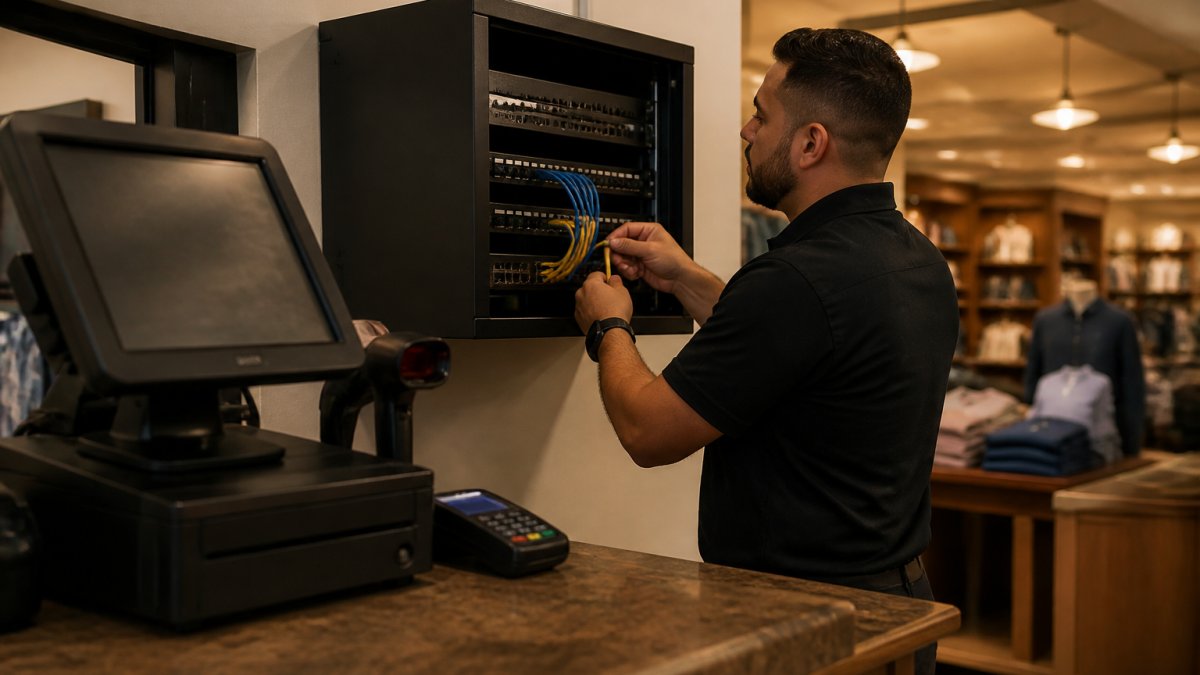
Segmentation splits one physical network into separate logical ones. A VLAN keeps the point-of-sale system, guest traffic, cameras, and staff devices from seeing each other. If one segment is compromised, the others stay isolated.
A Practical Retail VLAN Plan
Most stores can run on four to six VLANs. A workable starting layout looks like this:
| VLAN | Purpose | Typical Devices | Internet Access |
|---|---|---|---|
| 10 | POS / payment | Terminals, PIN pads, payment gateway | Payment processor endpoints only |
| 20 | Corporate / staff | Laptops, handhelds, back-office PCs | Business apps, filtered |
| 30 | IoT / facilities | Cameras, thermostats, printers, sensors | Vendor cloud endpoints only |
| 40 | Guest | Customer phones and tablets | Internet only, rate-limited |
| 50 | Management | Switches, APs, controllers | Admin jump host only |
Assign one subnet per VLAN (for example, 10.10.10.0/24 for POS, 10.10.20.0/24 for staff) so firewall rules are readable and troubleshooting stays simple. Never let two segments share a subnet, that defeats the isolation.
Isolating Point-of-Sale and Payment Data
Put every POS terminal and card reader on its own VLAN. Nothing else should share it, not the back-office PC, not the manager's phone, not the camera NVR. Block that VLAN from reaching the internet except for the specific payment endpoints it needs, and block it from initiating connections to every other VLAN.
This is the single highest-value change in retail network segmentation. Payment data never touches the guest network, and a compromised tablet cannot reach the till.
Firewalls and Access Control Lists
A firewall enforces the boundaries your VLANs create. Write access control lists that allow only the traffic each segment needs, then deny everything else by default. A typical rule set looks like this:
- POS VLAN → payment processor IPs: allow on required ports; deny all other outbound.
- POS VLAN → any other internal VLAN: deny both directions.
- Guest VLAN → internal subnets: deny; allow internet only.
- IoT VLAN → corporate and POS VLANs: deny; allow vendor cloud endpoints.
Log every denied attempt; those logs are your early warning system. Review deny logs weekly and investigate any POS-to-guest or guest-to-POS traffic, legitimate traffic should never produce those entries. Keep the rule set in version control so you can show what changed, when, and why.
Step 3: Set Up a Secure Retail Guest Wi-Fi Network
A guest network is mandatory, and it must be truly separate. Give customers their own SSID with a captive portal, and isolate it completely from the corporate network. No guest device should reach a POS terminal, a camera, or a staff file share.
Keep guest sessions short and require a fresh portal login each visit. This limits how long a compromised device stays connected.
Step 4: Manage Employee, Customer, and Device Access
Access management is a running process, not a setup task. Maintain a device inventory that lists every authorized device, its owner, and its segment. Review it monthly.
- Issue unique credentials per employee
- Register each device before it joins the corporate network
- Revoke access the day someone leaves
- Keep customer devices on the guest network only
Step 5: Apply Retail Wi-Fi Security Best Practices
Two habits carry most of the weight: patching and watching. Neither is glamorous. Both stop the attacks that actually happen.
Firmware Updates and Patch Management
Set a monthly patch window for access points, switches, firewalls, and the wireless router. Track firmware versions in a simple spreadsheet. Unpatched hardware is the easiest door to walk through.
Network Monitoring and Intrusion Detection
Wireless intrusion detection flags rogue access points and unusual traffic. Pair it with access logging so you can trace who connected, when, and from where. Review alerts weekly, not annually.
Step 6: Use a Retail Network Security Checklist for Multi-Location Operations
Centralized management is what makes multi-site retail work. Manage every location from one console so policy changes apply everywhere at once. But consistency without validation is just hope, the section below turns both into a repeatable operating rhythm.
Centralized Policy Across Stores
Use a cloud-managed wireless controller or a controller-based architecture so every store inherits the same SSIDs, VLAN map, firewall template, and firmware baseline. Store-level overrides should be rare and logged.
A common pattern is a three-tier model: a corporate template that defines policy, a regional profile that handles local exceptions (for example, a state-mandated camera retention rule), and a store profile that only carries site-specific details like AP placement.
A Store-Ready Validation Checklist
Walk each store on a fixed cadence, quarterly for low-risk sites, monthly for stores with recent incidents or high turnover. The checklist should produce evidence, not just checkmarks:
- WPA3 enabled on all SSIDs (screenshot from controller)
- Unique credentials per employee, no shared store password
- POS on its dedicated VLAN, confirmed by switch port assignment
- Guest network fully isolated, test from a guest device to a POS IP
Measurable Indicators to Track
Pick a small set of numbers and report them monthly across the fleet:
- Rogue-device detection time, how long between a rogue AP appearing and the alert being triaged.
- Patch compliance, percentage of APs, switches, and firewalls on the approved firmware version.
- Guest isolation test pass rate, stores where the isolation test passed on the first try.
- Credential revocation lag, days between an employee leaving and their access being removed.
- Deny-log anomalies, count of unexpected POS-to-guest or guest-to-POS attempts.
These indicators turn a checklist into a management tool. A store that fails the same item two quarters running gets escalated, not re-tested indefinitely.
Incident Response for Stores
Every store needs a one-page response card for the four incidents that actually happen: a rogue access point, credential theft, a network outage, and suspected payment-system compromise.
For a suspected payment-system compromise, the sequence is: isolate the POS VLAN at the switch, preserve logs and device state, notify the payment processor and your acquirer per your contract, and engage your incident-response contact.
Dalcorp Solutions Inc has completed over 2,000 projects across Chicagoland, and our factory-certified team builds code-aware networks that hold up across multiple locations. We handle the site survey, the segmentation design, the validation cadence, and the ongoing support.
Frequently Asked Questions
Should retail stores use separate Wi-Fi networks for guests, employees, and payment systems?
Yes. Running separate SSIDs for guests, staff, and point-of-sale devices is a core retail Wi-Fi security practice. Guest traffic should sit on an isolated VLAN with no route to internal systems, while POS and payment data belong on their own segmented network protected by firewalls and access control lists. This separation limits lateral movement if a guest device is compromised and helps contain breaches. Many retailers also add a dedicated IoT VLAN for cameras and sensors. Proper retail network segmentation reduces the risk of unauthorized access to payment data and keeps customer devices from reaching business-critical systems.
What Wi-Fi encryption should a retail business use?
Use WPA3 if your access points and client devices support it, since it adds protected management frames and stronger handshakes. For mixed device fleets, WPA2-Enterprise with 802.1X authentication is a solid baseline. Avoid WPA2-Personal with a shared password on employee or POS networks because one leaked credential exposes the whole segment. Disable WEP and WPS entirely. Pair encryption with multi-factor authentication for admin access and rotate credentials when staff leave. These retail Wi-Fi security best practices protect against eavesdropping and man-in-the-middle attacks.
How can a retailer prevent customers from accessing point-of-sale devices over Wi-Fi?
Isolate the POS network on its own VLAN or SSID, then apply firewall rules and access control lists that block all traffic from guest and employee subnets to POS addresses. Disable client-to-client communication on guest networks. Use device authorization so only approved POS terminals can join the payment SSID, and enable wireless intrusion detection to flag rogue access points. Regular network monitoring and access logging help you spot unauthorized devices quickly. This layered approach is a key part of retail network segmentation and protects payment data from unauthorized access.
How often should a retail business change its Wi-Fi passwords?
For guest networks, rotate the password quarterly or after any suspected incident, and use a captive portal with a short-lived code if you want tighter control. For employee and POS networks, avoid shared passwords entirely; use 802.1X with individual credentials and multi-factor authentication, then revoke access immediately when someone leaves. Review device inventory and access logs monthly. A retail network security checklist should include password rotation, firmware updates, and patch management on a set schedule. These habits close gaps that attackers exploit.
Securing a retail Wi-Fi network takes planning, the right hardware, and someone who will keep it current. Dalcorp Solutions Inc designs, installs, and supports integrated Wi-Fi, access control, and surveillance systems for retail and commercial properties. Our licensed and insured team brings 25+ years of experience and a complete approach to low-voltage integration. Get started with Dalcorp Solutions Inc and build a network your stores can rely on.
- Hits: 10