Cost of Upgrading Commercial Security Cameras
The cost of upgrading commercial security cameras depends on four variables: how many cameras you need, where they go, what condition your existing cabling is in, and how much recording and software infrastructure you replace alongside them.
Table of Contents
- What Drives the Cost of Upgrading Commercial Security Cameras
- Commercial Security Camera System Cost: The Line Items That Add Up
- Commercial Security Camera Installation Cost: Labor, Cabling, and Configuration
- Cost to Replace Security Cameras: Like-for-Like Upgrades vs. Full Replacement
- Business Security System Upgrade Budget: Building a Number You Can Defend
- Total Cost of Ownership: The Recurring Costs Buyers Forget
- Choosing an Integrator and Comparing Quotes
- Frequently Asked Questions
Last Updated: October 14, 2026
What Drives the Cost of Upgrading Commercial Security Cameras
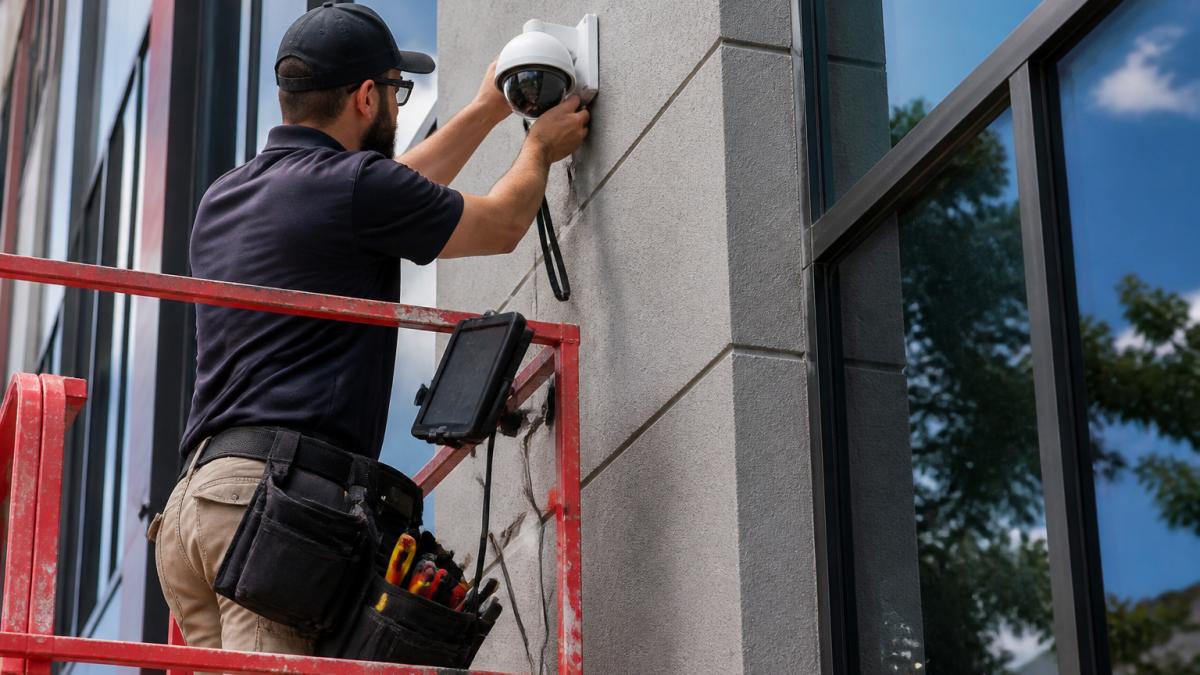
A common mistake is treating an upgrade as a simple camera swap. In practice, the cameras are often the smallest part of the invoice.
Camera Count, Placement, and Coverage
Camera count is the first multiplier. More cameras mean more hardware, more mounting points, more cable runs, and more configuration time.
Placement matters just as much. Entrances, loading docks, parking areas, and cash-handling zones each need different camera types and mounting heights. A coverage plan that eliminates blind spots across a whole site often requires more cameras than the old system used, not fewer.
Site Layout, Existing Infrastructure, and Labor
Site layout decides labor hours. A single-story retail floor is fast to wire. A multi-tenant office building with concrete ceilings, finished walls, and occupied suites is not.
Existing infrastructure is the wild card. If usable cabling is already in place, labor drops sharply. If it is not, expect new cable runs, conduit work, and possibly after-hours installation to avoid disrupting tenants.
Commercial Security Camera System Cost: The Line Items That Add Up
A commercial security camera system cost estimate should itemize cameras, recorder, storage, software, cabling, labor, and configuration separately.
Use this as your itemization checklist. Every credible bid should break out each line below, with quantities and assumptions stated.
| Line Item | What It Covers | Typical Share of Project |
|---|---|---|
| Cameras | Housings, lenses, mounts, power supplies | 20-35% |
| Recorder / NVR | Chassis, channels, processing headroom | 8-15% |
| Storage drives | Surveillance-rated HDDs or SSDs, RAID | 5-12% |
| Cabling & infrastructure | Cable, conduit, jacks, patch panels, power | 10-20% |
| Labor | Mounting, termination, configuration, testing | 25-40% |
| Software & licensing | VMS seats, camera licenses, integrations | 3-10% upfront |
| Cloud / recurring | Storage subscription, monitoring, support | Monthly or annual |
| Training & documentation | Admin training, as-builts, credentials handoff | 1-3% |
Those ranges are directional. The mix shifts hard with camera count, building condition, and how much of the old system you keep.
Cameras and Mounts
Camera price scales with resolution, low-light performance, and analytics. A 4K dome with onboard person/vehicle detection costs meaningfully more than a 1080p fixed dome, and the gap widens once you add varifocal lenses, PTZ motors, or outdoor-rated housings. Mounts, junction boxes, and power injectors are small line items that add up fast across dozens of cameras.
Recorders, NVRs, and Storage
Storage is the line buyers underestimate most. The rough formula practitioners use is:
Storage (TB) ≈ bitrate (Mbps) × 86,400 seconds ÷ 8 ÷ 1,000,000 × retention days × camera count
In plain terms: a single 4K camera streaming at roughly 8 Mbps produces about 86 GB per day.
Surveillance-rated drives cost more than desktop drives but are built for continuous write cycles. Skipping them is a false economy; consumer drives fail early under 24/7 recording loads.
Local storage keeps footage on site and under your control. Cloud storage shifts that burden to a subscription but adds recurring cost.
Video Management Software, Licensing, and Cloud Storage
Video management software, often shortened to VMS, is the interface your staff actually uses. Licensing models fall into three common shapes:
- Per-camera license: pay once per camera channel, plus renewal for updates and support.
- Per-server license: flat fee per recorder, cheaper at high camera counts.
- Bundled: software included with the hardware, often with a feature ceiling or vendor lock-in.
Cloud-compatible software adds flexibility but introduces a monthly or annual fee that scales with camera count and retention. A 20-camera site on a per-camera cloud plan can easily run into the low hundreds of dollars per month, and that number grows every time you add a camera. Factor recurring fees into the budget before you commit, not after.
Commercial Security Camera Installation Cost: Labor, Cabling, and Configuration
Commercial security camera installation cost is usually the largest single line on the estimate. It covers mounting, cabling, termination, configuration, and testing.
Labor rates vary by market and by the complexity of the site. Access requirements, lift rentals, and after-hours scheduling all push labor up. Configuration time is frequently underestimated: every camera needs addressing, focusing, recording rules, and integration with your VMS.
Reusing Existing Coaxial Cable vs. Pulling New Network Cabling
If your building runs on older analog cameras, you likely have coaxial cable in place. Coaxial cable can sometimes be reused with the right adapters or hybrid recorders, which saves significant labor.
IP cameras, by contrast, need network cabling. That typically means pulling new cable to every camera location. The trade-off is real: reuse is cheaper upfront, but new network cabling supports higher resolution, better low-light performance, and cleaner integration with access control and Wi-Fi.
| Scenario | Cabling Work | Best For | Main Trade-Off |
|---|---|---|---|
| Reuse coaxial cable | Minimal | Tight budgets, working analog systems | Limited resolution ceiling |
| Hybrid recorder | Partial | Phased upgrades | Mixed-vendor complexity |
| Full network cabling | Extensive | 4K cameras, full integration | Higher upfront labor |
Cost to Replace Security Cameras: Like-for-Like Upgrades vs. Full Replacement
The cost to replace security cameras splits into two paths. A like-for-like upgrade swaps old cameras for new ones on the same infrastructure. A full replacement rebuilds cameras, cabling, recorder, and software together. Most competitors stop there. The useful version is a side-by-side on the same site assumptions, so you can see where the money actually goes.
A Reuse-vs-Replace Decision Framework
Before you price anything, walk the site and answer four questions:
- Is the existing cabling sound? Coax that tests clean and reaches every camera location can often be reused with HD-over-coax adapters or a hybrid recorder. Frayed, water-damaged, or short-run cable is a liability.
- Does the recorder have headroom? If channel count, processing, and storage bays are maxed, the recorder is the first thing to replace, and it may force a software change with it.
- Are the cameras the bottleneck? If the complaint is blurry plates or unusable night footage, cameras are the fix. If the complaint is missing coverage, you need more cameras, not better ones.
- How long will you stay? A five-year horizon usually favors full replacement. A one-to-two-year horizon favors reuse.
Like-for-Like Upgrade: What It Costs and What It Buys
A like-for-like upgrade keeps the cabling, the recorder (if it has capacity), and the VMS. You replace cameras and add storage as needed.
- Cabling work: minimal to none.
- Labor: dominated by camera swap and configuration time, not cable pulls.
- Recorder: reused if channels and storage allow; otherwise replaced.
What you gain: lower upfront cost, fast deployment, minimal disruption. What you give up: you inherit the old system's resolution ceiling, its analytics limits, and its integration constraints. If the old system tops out at 1080p, so does the upgrade.
Full Replacement: What It Costs and What It Buys
A full replacement rebuilds cameras, cabling, recorder, and software together.
- Cabling work: extensive, new network runs to every camera location.
- Labor: the largest line, driven by cable pulls, conduit, and after-hours scheduling.
- Recorder: new, sized for current camera count plus growth headroom.
What you gain: modern resolution, better low-light performance, cleaner integration with access control and Wi-Fi, and a system that will not need another overhaul for years. What you give up: budget, time, and the simplicity of a small project.
Comparing the Two on the Same Site
To make the trade-off concrete, price both paths against identical assumptions. State the camera count, the retention days, the resolution target, and whether cabling is reused. Without those assumptions, the two numbers are not comparable.
A common pattern: on a site with sound coax and a recorder that still has channels, the like-for-like path lands well below full replacement because labor and cabling collapse.
Business Security System Upgrade Budget: Building a Number You Can Defend
A business security system upgrade budget should include contingency. Renovation surprises are the norm, not the exception, especially in older buildings.
Build the number in layers:
- Hardware: cameras, recorder, storage, mounts
- Infrastructure: cabling, conduit, power
- Labor: installation, configuration, testing
Present the budget with assumptions stated plainly. "Assumes reuse of existing cabling" is a defensible line. A single number with no assumptions is not.
Total Cost of Ownership: The Recurring Costs Buyers Forget
Total cost of ownership extends well beyond installation. The recurring line items are where budgets quietly drift.
Expect ongoing costs for cloud storage subscriptions, software licensing renewals, maintenance agreements, and occasional camera replacement. Staff training is a one-time cost, but turnover means you will repeat it.
Support matters here. A system with no support agreement leaves your team troubleshooting at the worst possible moment.
Choosing an Integrator and Comparing Quotes
Comparing quotes is not a price exercise. It is an assumptions exercise. Two bids can differ by thousands and both be correct, because they assume different scopes.
When you evaluate integrators, check these:
- Are they licensed and insured for low-voltage work?
- Do they provide an itemized estimate with stated assumptions?
- Can they handle multiple properties at scale?
At Dalcorp Solutions Inc, we have 25+ years of experience in Chicagoland, with factory-certified installations and code-aware planning on every site survey. We price like-for-like and full replacement options so you can see the trade-off before you commit.
Frequently Asked Questions
Is it cheaper to upgrade existing security cameras or replace the whole system?
It depends on what you can reuse. If your existing coaxial cable, recorder, and power infrastructure are in good condition, a like-for-like camera swap avoids the largest line items: new cabling and labor. If the recorder is end-of-life, the software is unsupported, or you need 4K resolution and low-light performance your current wiring cannot carry, a full replacement usually costs less over five years than patching a system that will need another upgrade soon. A site survey is the only way to know which path fits your building.
What factors affect commercial security camera installation cost?
The biggest drivers are camera count, camera placement, and site layout. High ceilings, masonry walls, and long cable runs increase labor. Reusing existing coaxial cable is cheaper than pulling new network cabling. Adding a recorder, NVR, or cloud storage, plus video management software licensing, adds to the total. After-hours or phased installation to avoid business disruption also raises labor cost. Because every building is different, Dalcorp Solutions provides a project estimate after a site survey rather than a flat per-camera rate.
Can a business write off security cameras?
In many cases, yes. Security cameras and related equipment used for business purposes may qualify for deduction or depreciation under current federal tax rules, and bonus depreciation or Section 179 treatment may apply depending on the asset and your situation. Rules change, so confirm the specifics with a qualified tax professional before you build the purchase into your upgrade budget. Keep itemized invoices for equipment, labor, and software licensing separate, since they may be treated differently.
How much does a commercial security camera system cost per month?
Monthly cost depends on whether you choose local storage, cloud storage, or a hybrid setup, and on how many cameras you run. Cloud storage and cloud-compatible software are billed as recurring subscriptions, while local storage is a one-time hardware cost with occasional drive replacement. Video retention length also affects the monthly figure: 30 days of 4K footage costs more to store than 7 days. Ask your integrator for an itemized total cost of ownership that separates one-time equipment and labor from recurring software and storage fees.
Upgrading commercial security cameras involves real trade-offs between upfront cost and long-term value, and the wrong assumptions can turn a manageable project into an expensive one. Dalcorp Solutions Inc designs, installs, and supports integrated video surveillance, access control, and network infrastructure with licensed, insured, factory-certified teams. Get started with Dalcorp Solutions Inc and build a security upgrade you can defend for years.
- Hits: 9