Security Camera Installation for Retail Stores: 2026 Guide
Security camera installation for retail stores means designing, positioning, and configuring surveillance around how a shop loses money: at the door, the register, the stockroom, and after hours.
Table of Contents
- What Retail Security Camera Installation Has to Solve
- Retail Security Camera Placement: A Zone-by-Zone Plan
- Retail Camera Coverage Checklist: Specs That Match the Job
- Security Cameras Without Wi-Fi: When Wired Systems Win
- Retail Security Camera Installation Cost: What Drives the Quote
- Privacy, Notice, and Employee Monitoring at the Point of Sale
- Cybersecurity and System Resilience for Retail Surveillance
- Conclusion: Planning Retail Security Camera Installation That Holds Up
- Frequently Asked Questions
Last Updated: October 14, 2026
What Retail Security Camera Installation Has to Solve
Shrink justifies the whole project. Retailers lose a meaningful share of revenue to shoplifting, employee theft, and administrative error, and the National Retail Federation's retail security research consistently identifies theft and inventory loss as the industry's most persistent margin problem.
Retail Theft and Shrink: Where the Losses Actually Happen
Losses concentrate in predictable places. The front door absorbs grab-and-run theft and organized groups. The checkout lane absorbs sweethearting (a cashier under-ringing for a friend) and refund fraud.
A common mistake is covering the sales floor while leaving the two highest-risk zones, the point of sale and the back door, to a single wide-angle camera that captures no usable detail.
What a Security Assessment Should Cover Before You Buy Anything
A security assessment is a documented walkthrough mapping risk, sightlines, lighting, and infrastructure before any hardware is specified. It answers four questions:
- Which zones have the highest loss history and the worst natural sightlines?
- Where does existing lighting fail at night, and where does it create glare?
- What cabling, power, and network paths already exist, and what needs to be added?
Skip this step and you buy cameras covering the wrong square footage. Every quote we produce starts from this survey, not a product list.
Retail Security Camera Placement: A Zone-by-Zone Plan
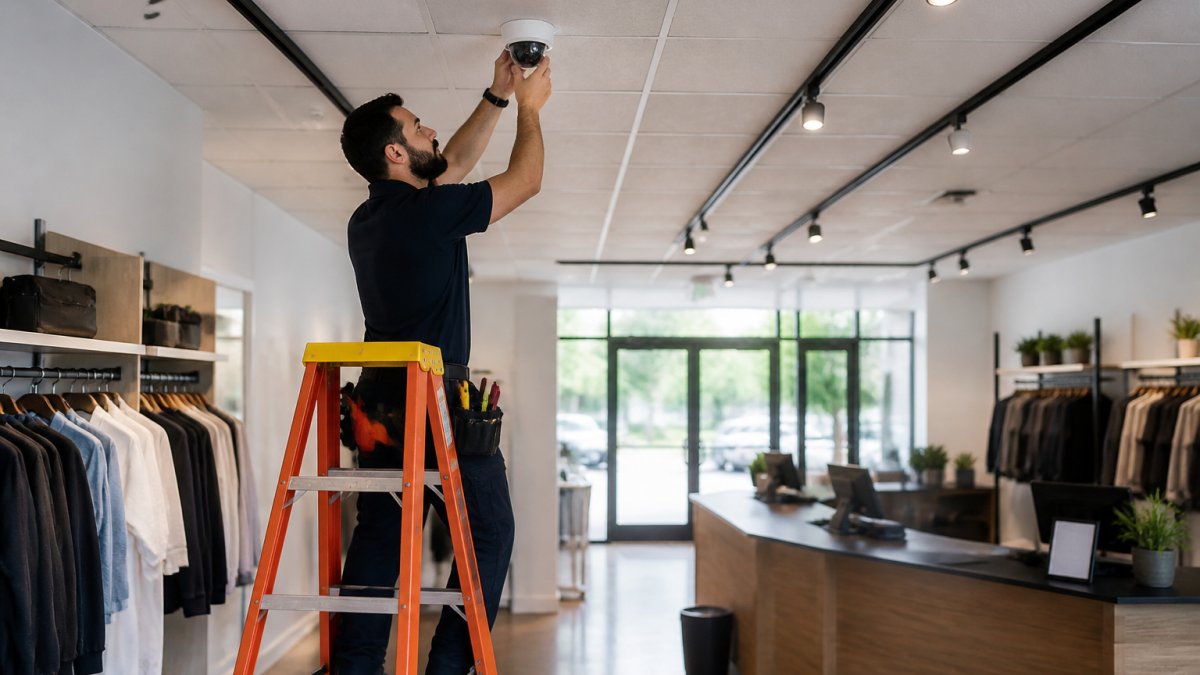
Retail security camera placement follows the money and the merchandise, in that order. Effective systems prioritize entrances, exits, and the point of sale, then extend to the sales floor, stockroom, and loading dock.
Entrances, Exits, and Checkout Counters
Mount entrance and exit cameras to capture a face at eye level, not the top of a head. A ceiling-aimed camera records hair and shoulders; one positioned to catch the face produces usable identification footage.
At checkout, place one camera over each register pointed down at the till and counter surface, and a second at an angle capturing customer and cashier together. This pairing makes refund fraud and under-ringing reviewable.
Sales Floor, Stockroom, and Loading Areas
Cover the sales floor with overlapping wide-angle cameras rather than a few long shots, because aisles and shelving create blind spots that widen as displays change. High-value aisles deserve dedicated coverage.
The stockroom needs cameras on the door and on high-value shelving. The loading area needs the dock door inside and out, plus the path between dock and stockroom, where employee theft and vendor discrepancies both show up.
Retail Camera Coverage Checklist: Specs That Match the Job
Retail camera coverage succeeds or fails on how well each camera's specifications match its task. A camera perfect for a wide aisle is wrong for reading a register receipt.
Assign a task to every camera position, then spec to the task. The four tasks in almost every retail store are identification, transaction verification, overview, and perimeter detection, each pulling specifications in a different direction.
Matching Resolution, Lens, and Frame Rate to the Retail Task
Use this table when reviewing a proposed design. The numbers are common industry ranges, not absolutes, the right figure depends on camera-to-target distance and lighting.
| Task | Typical Resolution | Lens / Field of View | Frame Rate | Low-Light Need |
|---|---|---|---|---|
| Face identification at doors | 4MP or higher | Narrow, roughly 30-60° horizontal | 15-30 fps | High, entrance lighting is often uneven |
| Register / transaction detail | 4MP or higher | Tight on till and counter surface | 15-30 fps | Moderate, interior lighting is usually stable |
| Sales floor overview | 4MP | Wide, 90-110° horizontal | 10-15 fps | High, aisles go dark after close |
| Stockroom and back door | 4MP | Medium, 60-90° horizontal | 15 fps | High, stockrooms are often poorly lit |
| Loading dock exterior | 4MP or higher | Medium to wide | 15-30 fps | Very high, needs true night vision, not marketing range |
A few rules of thumb that hold across retail:
- Identification needs pixels on the face, not the room. A 4MP camera with a wide lens covering a 40-foot aisle gives a recognizable room and an unrecognizable person; the same camera with a narrow lens on the door gives a face.
- Transaction detail needs the counter surface in frame. A camera pointed at the top of a register captures the back of a monitor; one pointed down at the till captures hands, cash, and the item being scanned.
- Frame rate matters less than people think. Most retail incidents are slow-moving, except grab-and-run at the door, where 30 fps beats 15 fps.
The Field-of-View Versus Distance Trade-Off
The spec nobody explains at the point of sale is the relationship between field of view and distance. A lens covering a 60-foot aisle cannot resolve a face at the far end, because the same pixels spread across a much larger area.
The fix is to split the job across two cameras at high-value positions:
- One overview camera with a wide lens showing the whole aisle, traffic pattern, and where someone went.
- One identification camera with a narrow lens aimed where a face, hand, or transaction must be readable.
At a register, that means one camera on the till and one at an angle capturing customer and cashier together. At an entrance, one covering doorway width and one catching the face at eye level.
A Short Checklist for Reviewing Any Proposed Design
- Every camera has a written task: identification, transaction, overview, or perimeter
- Identification positions are specified with a lens narrow enough to resolve a face at the actual camera-to-target distance
- Register cameras capture the counter surface, not just the register housing
Security Cameras Without Wi-Fi: When Wired Systems Win
Wired camera systems win in almost every retail environment, because surveillance runs continuously and cannot tolerate the dropouts wireless links suffer under load.
Wireless cameras still make sense in a few situations: a leased space where you cannot run cable, a temporary pop-up, or a single position where a cable run is genuinely impractical.
The difference shows at peak hours. When the store is full, POS terminals, mobile scanners, and customer devices compete for Wi-Fi bandwidth.
What Happens When the Network or Power Fails
Wired reliability is only half the resilience story. The other half is what happens when something upstream of the cameras fails, the question most retail installations never answer until an incident exposes the gap.
A few failure modes are worth planning for explicitly:
- Internet outage. Cloud-only recording means an internet outage is a recording outage. Record locally on the camera or an in-store network video recorder (NVR), with cloud as backup, so footage keeps recording while the connection is down.
- Power outage. Cameras, the NVR, and the network switch feeding them all need battery backup (a UPS). If only the cameras are backed up, they have power but no path to record. Size the UPS for recorder, switch, and cameras together, and test it on a schedule.
- Recorder failure. A single NVR is a single point of failure. For high-value inventory or a history of incidents, a second recorder or hosted backup of critical footage is worth the cost.
Network Segmentation: The Step Most Retail Systems Skip
A retail camera system is a networked computer system and should not share a flat network with POS terminals and back-office machines. When cameras sit on the same segment as payment systems, a compromised camera becomes a path into the systems handling card data.
The standard approach puts cameras and the NVR on their own VLAN, separate from the POS network and guest Wi-Fi:
- Cameras cannot reach POS terminals, and POS terminals cannot reach the cameras.
- Remote viewing goes through a defined path, a VPN or hosted service, rather than exposing the NVR directly to the internet.
- Firmware updates and credential changes are managed on the camera VLAN without touching the rest of the store network.
This is the same segmentation discipline payment-card rules already expect on the POS side, extended to the cameras watching the POS.
Wired, Wireless, and the Hybrid That Actually Works
Most retail stores end up with a hybrid, fine as long as the backbone is wired:
- Wired for every fixed position: entrances, registers, sales floor, stockroom, loading dock.
- Wireless only where a cable run is genuinely impractical, and only where the camera records locally if the link drops.
- PoE (Power over Ethernet) for wired cameras, so one cable carries power and data with no separate outlet at each position.
Retail Security Camera Installation Cost: What Drives the Quote
Retail security camera installation cost is driven by camera count, cable runs, mounting height, and whether the site needs new network or power infrastructure.
The main cost drivers:
| Cost Driver | What Changes It | Why It Matters |
|---|---|---|
| Camera count and type | Number of positions, resolution, low-light needs | Sets the hardware portion of the quote |
| Cable runs | Distance, ceiling access, conduit needs | Labor-heavy; long or finished-wall runs add cost |
| Mounting conditions | Height, surface, lift requirements | High or awkward mounts require more labor time |
| Network and power | Existing switches, PoE capacity, outlets | May require added infrastructure work |
| Storage and retention | Retention period, local vs. hosted | Longer retention needs more capacity |
| Programming | Motion zones, user accounts, remote access | Determines how usable the system is day one |
Because pricing depends on all six, we quote retail projects only after a site survey. Request a quote from Dalcorp Solutions Inc and we will walk the space, document the runs, and price the actual job rather than a package.
Privacy, Notice, and Employee Monitoring at the Point of Sale
Retail surveillance sits at the intersection of loss prevention and privacy law, and the point of sale is where they collide most directly. Cameras over a register record customers and employees at once, and audio recording, where permitted, carries additional obligations.
A few principles keep a retail system defensible:
- Post clear notice at entrances stating that the premises are under video surveillance.
- Point cameras at registers and merchandise, not at break rooms, restrooms, or changing areas.
- If you monitor employee performance through footage, say so in your employee handbook and apply it consistently.
The Federal Trade Commission's guidance on business data practices is a useful starting point for understanding what you owe customers whose data and images you hold.
Cybersecurity and System Resilience for Retail Surveillance
A retail camera system is a networked computer system and deserves the same security discipline as your POS network: separate network segment, default credentials changed at installation, current firmware, and remote access limited to named accounts with strong authentication.
Resilience matters as much as security. Plan for network and power failures:
- Record locally on the camera or recorder so an outage does not create a coverage gap.
- Back up critical footage off-site or to a hosted service.
- Put the recorder and network gear on battery backup.
The gap most retail systems share is the failure to segment. When cameras share a flat network with registers and back-office machines, a compromised camera becomes a path into the systems handling payment data.
Conclusion: Planning Retail Security Camera Installation That Holds Up
The hard part of retail surveillance is not buying cameras. It is deciding, before installation, what each camera must prove and where losses actually occur. Get the assessment and zone plan right, and equipment choices follow naturally.
That is the work we do at Dalcorp Solutions Inc. With more than 25 years serving Chicagoland, licensed and insured crews, factory-certified installations, and a complete approach that integrates video surveillance with access control, Wi-Fi, and low-voltage infrastructure, we design retail systems around your store rather than a package.
Frequently Asked Questions
Where should security cameras be placed in a retail store?
Start with the highest-loss zones: entrances and exits, the checkout area and point of sale, the sales floor, the stockroom, and the loading area. Cover each entrance from two angles so faces are captured regardless of direction, aim cameras at registers to record transactions, and place units to eliminate blind spots behind shelving and end caps. A security assessment before installation maps these high-risk areas so camera placement follows the store's actual layout instead of a generic template.
Can retail security cameras work without Wi-Fi?
Yes. Wired systems using Ethernet or coax with a network video recorder run independently of Wi-Fi, so recording and remote viewing continue even if the wireless network drops. This suits stores with dead zones, thick walls, or many connected devices. Security cameras without Wi-Fi typically offer more stable video streams and are harder to jam or disable remotely, which matters for loss prevention and incident investigation. A hybrid setup can also mix wired cameras with a few wireless units.
How much does retail security camera installation cost?
Retail security camera installation cost depends on camera count, resolution, wiring runs, recorder capacity, and whether the building needs new cabling or electrical work. A single-camera addition costs far less than a full multi-zone system with a network video recorder and remote viewing. Because every store layout differs, pricing depends on quantity, site conditions, and scheduling. Request a written quote after a site survey so the estimate reflects your specific building and coverage goals.
How long should a retail store keep security camera footage?
Many retailers keep footage for 30 to 90 days, balancing storage capacity against the time it takes to notice and investigate shrink. Stores handling high-value goods or frequent incidents often retain video longer. Retention period also depends on recorder storage and local requirements. Check with your legal counsel about any obligations that apply to your business, and size the video storage so the retention window you choose does not force early overwriting.
How many security cameras does a retail store need?
There is no fixed number. Count the zones that need coverage: each entrance, each exit, the checkout area, the sales floor, the stockroom, and the loading area. A small shop may need four to six cameras, while a larger store with multiple entrances and long aisles may need twelve or more. A retail camera coverage checklist built during a security assessment gives you an accurate count and prevents both gaps in coverage and unnecessary spending.
Do retail security cameras need professional installation?
Professional installation is worth it for multi-camera systems, wired runs, and integration with access control or alarm systems. Certified installers handle cable routing, camera angles, recorder configuration, and remote viewing setup so the system works on day one. They also plan for code compliance and network security, which DIY setups often miss. For a single plug-in camera, self-installation is fine, but coverage and image quality suffer when placement is guesswork.
- Hits: 3