Intellis Alternative for Commercial Networking
If you are searching for an Intellis alternative for commercial networking, first settle what you actually need replaced.
Table of Contents
- What to Look for in an Intellis Alternative for Commercial Networking
- Top Commercial Networking Companies: Feature Comparison
- Commercial Wi-Fi Installation: Coverage, Density, and Downtime
- Business Network Installation: Structured Cabling and Hardware
- Integrated Security and Networking Solutions: One Provider or Two?
- Total Cost of Ownership and ROI for Commercial Networking
- Frequently Asked Questions
Last Updated: October 12, 2026
What to Look for in an Intellis Alternative for Commercial Networking
This guide from Dalcorp Solutions Inc breaks down both paths: the software platform decision and the physical infrastructure decision.
Two categories of vendor serve that need:
- Software platforms that manage access credentials, permissions, and reporting
- Infrastructure integrators that install and support the physical layer and the devices on it
Most buyers searching for an Intellis alternative need the second category, or need both. Here is how to tell which one you are.
Clarifying Your Intent: Software Platform vs. Physical Infrastructure
A software platform manages who gets in and when. An infrastructure provider makes the door, reader, network, and camera function.
If your access control software is the problem, you are shopping for a platform.
The trap is buying a platform subscription and discovering nobody can wire the new readers. Ask one question before you shortlist anyone: "Will you install and support the hardware, or just the dashboard?"
Evaluation Criteria: What Actually Decides a Provider
Five criteria separate providers who finish the job from those who disappear after the invoice.
- Licensing and insurance. Ask for the license number and a certificate of insurance before signing. Your insurer will ask for both.
- Factory certification. Certified installers can register warranties and access technical support that uncertified crews cannot.
- Code awareness. Low-voltage work touches electrical, fire, and building codes. A provider who plans for inspection saves you a rework bill.
- Ongoing support. Confirm who answers outside business hours, in writing.
- Scalability. If you manage multiple properties, ask how the provider handles a portfolio rather than a single site.
Top Commercial Networking Companies: Feature Comparison
Commercial networking companies fall into three groups: software platforms, physical infrastructure integrators, and full-service providers who do both. The group you hire depends on whether your gap is a dashboard, a cable run, or both.

The Feature Matrix That Actually Decides a Platform
Score every provider on the same eight categories. If a vendor cannot answer a row in writing, treat it as a gap.
| Capability | What to Verify | Why It Decides the Purchase |
|---|---|---|
| Access control and credential management | Card, mobile, and PIN support; door groups; schedules; anti-passback | This is the core function most buyers are replacing |
| Member and user discovery | Directory search, role-based views, bulk import | Determines how fast you onboard staff, tenants, or members |
| Messaging and notifications | In-app, email, SMS; alert routing; escalation rules | Drives response time when a door or camera fails |
| Events and scheduling | Recurring bookings, visitor pre-registration, calendar sync | Critical for multi-tenant and shared-space buildings |
| Integrations | Video surveillance, HR/identity, SSO, API access | Prevents a second dashboard nobody checks |
| Analytics and reporting | Audit trails, occupancy trends, export formats | Required for compliance and for justifying the spend |
| Administration and permissions | Multi-site roles, delegated admin, audit logs | The difference between one site and a portfolio |
| Support and SLA | Hours, response targets, named contact | Determines what happens at 9 p.m. on a Friday |
Software Platform vs. Integrator vs. Full-Service
| Provider Type | What They Deliver | Best For | Typical Gap |
|---|---|---|---|
| Software platform | Access control dashboard, credential management, reporting | Replacing an aging management interface | Does not install or service hardware |
| Infrastructure integrator | Cabling, Wi-Fi, cameras, access hardware | Buildings with physical coverage or reliability problems | May not offer a unified software layer |
| Full-service provider | Design, installation, software, and ongoing support | Multi-system buildings and multi-site portfolios | Higher upfront involvement in planning |
Where the Comparison Breaks Down
Three failure patterns show up when buyers compare on features alone:
- Integration depth vs. integration claims. A platform listing "video integration" may only pass event metadata, not live video or playback. Ask what data flows each way and whether the integration survives a platform update.
- Admin model mismatch. A platform built for a single site often cannot express the permissions a multi-tenant building needs. Test it against your org chart before you buy.
- Reporting that does not export. Audit and occupancy data locked inside a dashboard is not usable for compliance or leasing decisions. Confirm export formats and retention windows up front.
The Unique Angle: Compare on Outcomes, Not Feature Counts
Feature lists are easy to pad. What separates platforms in commercial networking is measurable outcome: qualified leads and referrals in a member-based community, faster incident response, and fewer coordination hours across vendors. Score each provider on four outcomes:
- Time to onboard a new member or tenant, measured in hours, not weeks.
- Incident response time, from alert to acknowledged, with a named owner.
- Coordination hours per month, how much of your team's time the system consumes.
- Audit and inspection pass rate, first-time pass, no rework.
A full-service provider is the better fit when your access control, Wi-Fi, and surveillance need to work as one system rather than three separate contracts.
The honest limitation: a full-service approach requires more of your time upfront, a survey and a design review. Teams that want a same-day answer may find that frustrating, but it prevents the rip-and-replace scenario later.
Commercial Wi-Fi Installation: Coverage, Density, and Downtime
Commercial Wi-Fi installation is the process of surveying a building, placing access points for even coverage, and configuring the network so devices stay connected under peak load. Coverage is not the same as capacity, and confusing the two is the most common mistake we see.
A retail floor with 40 shoppers on their phones needs different hardware than an empty office of the same square footage. Density, not distance, drives the design.
Three things decide whether your installation holds up:
- Site survey first. Predictive software is a starting point. A physical walk-through finds the interference and dead zones software misses.
- Peak-hour testing. Test during your busiest hour, not at 7 a.m. on a Tuesday.
- Phased cutover. Most installs can be staged so your business stays open. Ask how the provider plans to avoid downtime.
Business Network Installation: Structured Cabling and Hardware
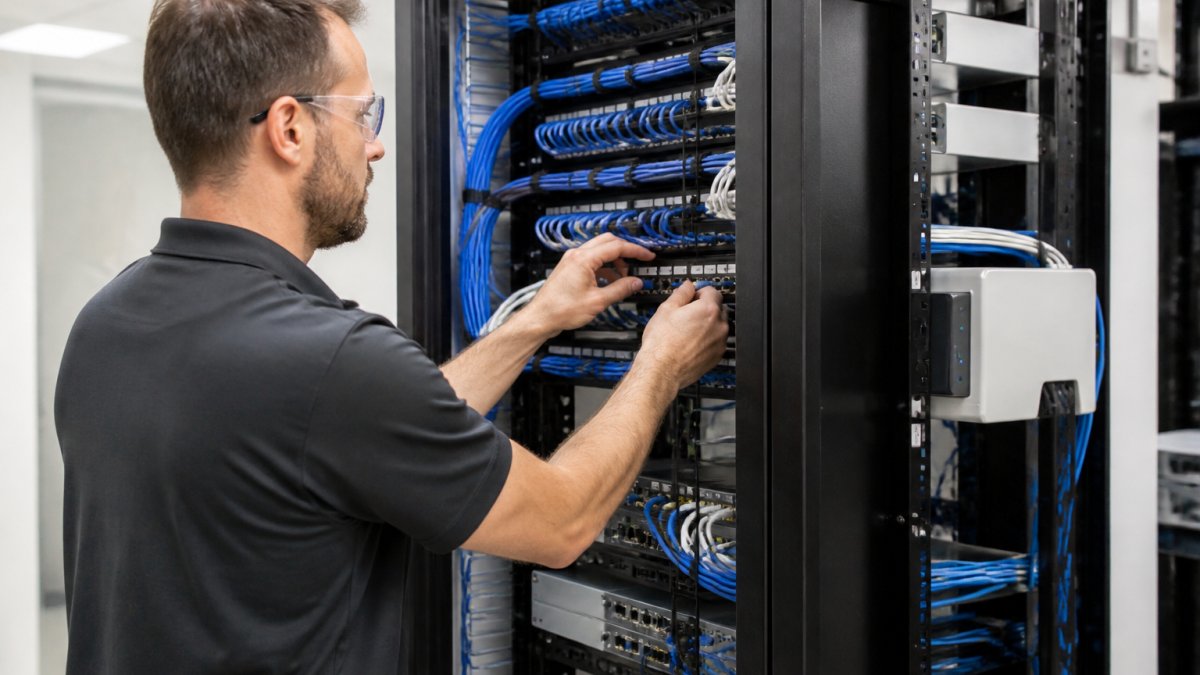
Business network installation covers the physical layer: structured cabling, patch panels, switches, and the racks that hold them. This is the part nobody sees and everybody depends on.
Older buildings often have wiring never intended for the current device count. Most integration work can happen without gutting walls, a survey identifies which runs can be reused and which need replacement.
What to insist on:
- Labeled and documented cabling. You should receive an as-built diagram at handover.
- Testing results per run. Certified cable testing is evidence, not paperwork.
- Rack and power planning. New switches and access control hardware need space and power, and that gets decided before installation day.
If a provider cannot tell you what documentation you will receive, that is your answer.
Integrated Security and Networking Solutions: One Provider or Two?
Integrated security and networking solutions combine access control, video surveillance, and network infrastructure under one design and one point of contact.
Two vendors means two schedules, two warranties, and a finger-pointing problem when a camera goes offline and nobody agrees whose network caused it.
The trade-off is real. A single provider may not be the cheapest bid on either half of the job.
Total Cost of Ownership and ROI for Commercial Networking
Total cost of ownership for commercial networking includes design, hardware, installation, support, and downtime. The sticker price is the smallest part of that list. Most buyers compare quotes line by line and miss the four cost categories that decide whether the project pays for itself.
The Four Cost Layers Nobody Quotes Up Front
1. Design and survey. A site survey, RF plan, and as-built design are billable work.
2. Hardware and licensing. Cameras, readers, switches, access points, and cabling are the visible line items.
3. Installation and cutover. Labor is priced by run, by device, or by project.
4. Ongoing support and downtime. Support is a line item, not a favor, budget for it.
Tier Structures and What Sits Behind the Paywall
Most commercial platforms tier by site, door, or seat count, and reserve the features multi-site operators need, delegated admin, portfolio reporting, API access, for the highest tier. Before comparing two quotes, confirm which tier includes:
- Multi-site administration and delegated roles
- API or integration access
- Audit log retention beyond the default window
- Named support contact and response targets
A lower-tier quote that excludes these is not cheaper, it is a different product.
A Simple ROI Framework
Return on investment in commercial networking shows up in four places. Estimate each before you sign:
- Reduced outages. Fewer dropped cameras and dead Wi-Fi zones mean fewer incident hours per month.
- Lower coordination overhead. One provider instead of two removes the finger-pointing hours your team absorbs today.
- First-time inspection pass. Code-aware design avoids rework bills and re-inspection fees.
- Lease and retention value. For a multi-tenant building, reliable infrastructure is a leasing asset, not just a cost center.
We quote every project after a site survey because any number given before that is a guess. You can request a quote from Dalcorp Solutions Inc once we have seen the space.
Migration and Adoption: The Cost Most Buyers Forget
Switching platforms or providers is its own line item. Importing contacts and credentials, re-onboarding members or tenants, retraining staff, and maintaining engagement during the transition consume hours that never appear on a hardware quote. Plan for:
- Data export from the old system, confirm you can get your contact and credential data out in a usable format before you commit to leaving.
- Parallel running, most buildings run old and new systems side by side briefly. Budget the labor.
- Member or tenant communication, a short, clear notice prevents a spike in support calls during cutover.
Security, Privacy, and Data Ownership
Business contact data, credential records, and video footage are regulated assets. Before you sign, confirm who owns the data, how it is exported, what retention windows apply, and what account controls exist for departing staff.
A note on national standards: low-voltage and life-safety work is governed by codes adopted at the state and local level, and requirements vary by jurisdiction.
Frequently Asked Questions
What are the best alternatives to Intellis for commercial networking?
The best alternative depends on whether you need a software platform or physical infrastructure. Intellis provides software for commercial real estate operations. If you need commercial networking, Wi-Fi, access control, or video surveillance installed and supported, look for a licensed low-voltage integrator like Dalcorp Solutions Inc with local experience. Evaluate providers on certifications, insurance, ongoing support, and their ability to handle integrated security and networking solutions under one contract.
What should businesses compare when choosing a commercial networking provider?
Compare licensing and insurance, factory certifications, local project history, and support response times. Ask whether the provider handles structured cabling, commercial Wi-Fi installation, access control, and video surveillance in-house or subcontracts. Request a site survey before any quote, and confirm they will document as-built conditions. A provider with 25+ years in the Chicagoland area and a verifiable project list is easier to hold accountable than the lowest bidder.
Can one provider handle networking, access control, and video surveillance?
Yes, and consolidating with one licensed integrator usually reduces finger-pointing when something fails. A single provider can design the structured cabling backbone, install commercial Wi-Fi access points, mount cameras, and wire access control readers on the same low-voltage plan. This approach also simplifies code-aware planning because one team owns the pathway, power, and penetration details across all systems.
How much does commercial network installation typically cost?
Pricing depends on building size, cable runs, ceiling access, device count, and whether after-hours work is required. A 10,000-square-foot retail space with basic Wi-Fi and a few cameras prices very differently from a multi-tenant office with access control on every door. Dalcorp Solutions Inc does not publish flat rates because every site is different. Request a site survey and a written scope so you can compare bids on the same specifications.
- Hits: 9