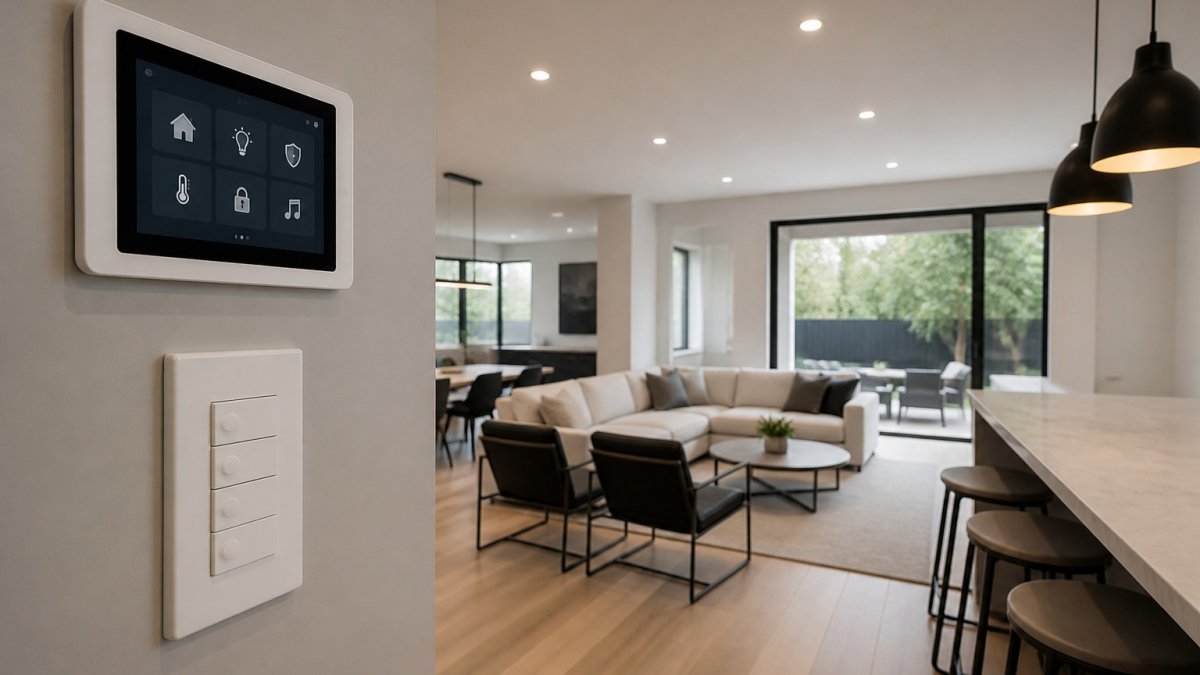
How to Plan a Chicago Home Automation System
A Chicago home automation system starts with a written list of what you want the house to do, before any hardware is chosen. Map lighting, security, networking and climate goals first, then pick a single control platform. Older Chicago walls and multi-story layouts often need a site survey and wired access points.
Quick Summary
- Write each goal as a plain sentence to form the scope your installer will quote against.
- Mark outlets, data drops and TV locations on a floor plan before buying any devices.
- Plaster, masonry and foil-backed insulation weaken Wi-Fi, so plan access points early.
- Use Cat 6 cable, keep runs under 100 meters, and test and label every drop.
- Ask for a line-item quote that separates hardware, labor and programming.
Table of Contents
- Mapping Your Goals Before You Buy Any Device
- Home Automation Cost: What Drives the Budget
- Assessing Your Chicago Home's Wiring and Construction
- Smart Home Wi-Fi Installation and Network Coverage
- Building a Smart Home Security System That Works With Everything Else
- DIY or Professional: Choosing a Home Automation Installer
- Scheduling Your Installation and Ongoing Support
- Requesting a Consultation for Your Chicago Home
- Frequently Asked Questions
Mapping Your Goals Before You Buy Any Device
Most smart home projects fail before the first device is ordered. The homeowner buys a set of cameras, a voice assistant and a pile of smart switches, then discovers none of them talk to each other.
Start with three questions: what should happen automatically, what should you control from your phone, and what must work even when the internet goes down. Lighting scenes, door locks, security cameras, thermostats and motorized shades each have different wiring and network needs.
Write each goal as a plain sentence, such as "Lights in the hallway turn on at 6 a.m. when motion is detected" or "The front door camera records and alerts my phone." Those sentences become the scope document your installer will use. A clear scope also keeps quotes comparable.
Our smart home team recommends mapping rooms on a floor plan and marking every outlet, data drop and TV location. You can review the smart home systems we install, including Wi-Fi, audio-video, CCTV and access control, to see which categories fit your goals.
Watch out: Buying devices from several brands with separate apps is the most common cause of a system that feels fragmented. Decide on a control platform before you buy anything.
Home Automation Cost: What Drives the Budget
Most home automation quotes are opaque, and that is why so many homeowners feel blindsided halfway through a project. A starter package and a whole-home integrated system can differ substantially in cost, but you can still build a realistic budget if you understand the cost drivers. Every project should be priced from a written scope.
Plan around the scope, not a fixed number. A starter setup, a midrange project with structured wiring and multi-room audio and video, and a whole-home integrated system differ mainly in how many rooms, devices and integrations they include. Ask each installer to map your goal list onto a clear scope before quoting.
What actually moves the number. The biggest cost drivers are usually:
- Prewiring for new cable runs in walls that are already finished, opening and patching drywall is often the single largest line item
- The number of rooms with lighting control, audio or video, because labor and keypads scale with room count
- Security cameras, sensors and access-control hardware, where commercial-grade devices cost multiples of consumer gear
- Network equipment needed to cover every room reliably, including access points, PoE switches and a structured wiring panel
- Programming time for scenes, schedules and integrations, which is frequently underestimated and can run into many hours on a whole-home system
Wiring is often the largest variable. A home with open ceilings or an unfinished basement is far cheaper to wire than a finished one, and a renovation is the cheapest moment you will ever have to run cable.
Where homeowners overspend and underspend. The common overspend is buying consumer devices room by room before a platform is chosen, then paying twice to replace them. The common underspend is skimping on the network and on programming, the two things that determine whether the system actually feels integrated.
Request a written quote based on your goal list. Pricing depends on the scope of your project, so contact Dalcorp Solutions Inc or visit our website for current pricing or a quote.
Assessing Your Chicago Home's Wiring and Construction
Chicago homes vary widely. Vintage brick rowhouses, greystone buildings, bungalows and newer condominiums all have different wall construction, attic access and electrical service. Those differences determine how easily you can run low-voltage cable for networking, cameras and speakers.
Begin with an inspection of the existing structure. Note whether walls are plaster and lath, drywall or masonry, and whether attics and crawl spaces are accessible. Plaster and masonry walls usually need surface raceways or routing through ceilings and floors. If you need certified copper or fiber installs with testing, documentation and labeling, review our voice, data and video cabling services.
Cat 6 cabling is the common standard for wired connections to access points, cameras and control panels. Cable runs should stay under 100 meters, and every drop should be tested and labeled.
Ask the installer whether they will perform a pre-wire survey before quoting. A competent contractor should identify problem areas such as dense masonry, long runs to outbuildings, and locations where electrical and low-voltage cable must stay separated.
Chicago homes differ in wall construction and attic access, which affects how easily low-voltage cable can be run.
| Item | Value | Note |
|---|---|---|
| Wall types to check | Plaster and lath, drywall, masonry | Each needs a different routing approach |
| Common cable standard | Cat 6 | Used for access points, cameras and control panels |
| Maximum cable run | 100 meters | Keep runs under this length |
| Cable testing | Tested and labeled | Every drop should be verified |
Smart Home Wi-Fi Installation and Network Coverage
Reliable Wi-Fi is the foundation of most smart home systems. Cameras, locks, lighting controllers and streaming devices all depend on it, and a single consumer router in the basement rarely covers a multi-level home, especially one with brick or plaster walls.
Why older and multi-story homes are harder. Plaster and lath walls, masonry chimneys, foil-backed insulation and metal ductwork all absorb or reflect Wi-Fi signals far more than modern drywall.
Wired backhaul beats mesh hops. Wired access points avoid the throughput loss that wireless hops introduce, and smart-home devices are sensitive to latency.
Segment the network, not just the signal. Keep your smart devices on a separate network segment from your computers and phones. This limits what a compromised camera or sensor can reach, and it simplifies troubleshooting when one device misbehaves.
Seasonal and structural realities. Temperature swings and humidity affect outdoor access points, cameras and doorbell hardware, so specify equipment rated for exterior conditions and mount it where snow and ice will not block it.
If you are unsure whether your current network can support the system you want, start with a site survey before buying any devices.
Building a Smart Home Security System That Works With Everything Else
A security system should integrate with lighting, door access and video, not sit in its own app. When a door opens after hours, the system should alert your phone, turn on the entry light and start recording the nearby camera.
Start with entry points: exterior doors, ground-floor windows, the garage and any gate. Our residential smart security system planning guide walks through entry-point mapping and sensor selection before you buy hardware.
Cameras need thought beyond placement. Decide whether recordings stay local or move to the cloud, how long footage is kept and who has access. Those choices affect both privacy and the network bandwidth your Wi-Fi must support.
Integration matters most when you have multiple vendors. Confirm that the cameras, locks and alarm panel support a common platform or documented open interface. Ask the installer how they handle firmware updates, because security devices that stop receiving patches become a risk.
Watch out: Security devices connected to a home network are a common entry point for attackers. Change default passwords on every device, enable two-factor authentication on accounts that control cameras or locks, and keep firmware current.
DIY or Professional: Choosing a Home Automation Installer
Simple projects such as a few smart plugs or a single voice assistant can be handled by most homeowners. A whole-home system with wiring, security, networking and integrated control is a different task. Mistakes in cable routing, network design or device configuration can take weeks to fix.
Professional installers bring training, testing equipment and experience with local building conditions. Before hiring one, confirm the company is licensed and insured, and ask whether its technicians hold manufacturer certifications for the equipment they install. Dalcorp Solutions Inc is licensed and insured, and our installations are factory-certified, with more than 25 years of experience in the Chicagoland area.
Compare proposals on scope and detail, not only price. A lower quote that omits programming, testing, documentation or warranty coverage will often cost more over time. The licensed low voltage contractors in Chicago guide explains licensing requirements, technician certifications and how to verify a contractor before you hire.
Ask each candidate for references from projects similar to yours, and check that the company provides support after installation. Our team has completed more than 2,000 projects. Ask us to walk you through the warranty and service terms before any work begins.
Scheduling Your Installation and Ongoing Support
Installation is usually scheduled in phases: rough-in during construction or before drywall is finished, then trim, device installation and programming afterward. Coordinating these phases with other trades prevents delays and damage to finished surfaces.
Expect the installer to test every system before handoff. Ask for documentation that shows cable labels, network layout, device list, passwords stored in a secure location and how to use the control app. Good documentation makes future changes faster and less expensive.
Ongoing support is where many projects are judged. Confirm response times, after-hours contact options and what the service agreement covers. Find out who you call when a camera goes offline or a door lock stops responding. A clear support process is part of the system you are buying.
Requesting a Consultation for Your Chicago Home
A smart home system should match the way you live, the structure of your house and the level of security you need. The planning steps above give you a clear scope to discuss with an installer. Bring your goal list, floor plan and any existing equipment to your first meeting.
At Dalcorp Solutions Inc, we begin with a site survey, then provide a written proposal that separates hardware, installation and programming. Our certified team designs integrated systems for wiring, Wi-Fi, security, access control and entertainment, with code-aware planning from the start.
Request a consultation to discuss pricing for your project and to review a scope tailored to your Chicago home. Contact Dalcorp Solutions Inc for a quote based on your specific goals.
Frequently Asked Questions
What does a home automation system include?
A typical home automation system pairs a central controller or hub with lighting control, thermostat and climate management, door locks, cameras, motorized shades and audio or video in key rooms. These devices run on a shared network and are managed from a touchscreen, phone app or voice assistant. Ask for a written device list during your site survey so you can confirm what is included before installation begins.
How much does home automation cost?
Home automation cost depends on the number of rooms, the devices chosen, whether the home needs new wiring, and how much integration is required. Projects in existing homes often cost more than new construction because cable runs must be routed through finished walls. Each project is scoped individually, so pricing depends on your specific requirements. Request a site survey and a written quote that itemizes equipment, labor and any construction work so you can compare the proposal against your budget in USD.
Can I automate an existing home?
Yes. Most Chicago homes can be automated after construction, though wireless and retrofit devices are often used where wiring is impractical. Older homes may need a survey of the electrical panel, attic and wall cavities to confirm where low-voltage cable can run.
How do I choose a home automation installer?
Look for a licensed and insured installer with factory-certified training on the platforms you plan to use. Ask whether they provide a site survey, written design documentation, commissioning and post-installation support. Confirm who you will call if a device fails after hours. Dalcorp Solutions Inc is licensed and insured, holds factory certifications and has completed more than 2,000 projects in the Chicagoland area. You can request references and proof of coverage before signing an agreement.

- Hits: 4